Quicker starts
New people find their feet sooner
Most of their questions are already answered in the project, so they don’t have to wait for someone to brief them.
CommandDeck by Lalandi Conclusion
CommandDeck is a workspace where your people, your partners and AI agents work on the same projects and share what they know. Lalandi helps you set it up, and we keep working with you after that.
.jpg?width=1200&height=800&name=Hero%20-%20Lalandi%20(1).jpg)
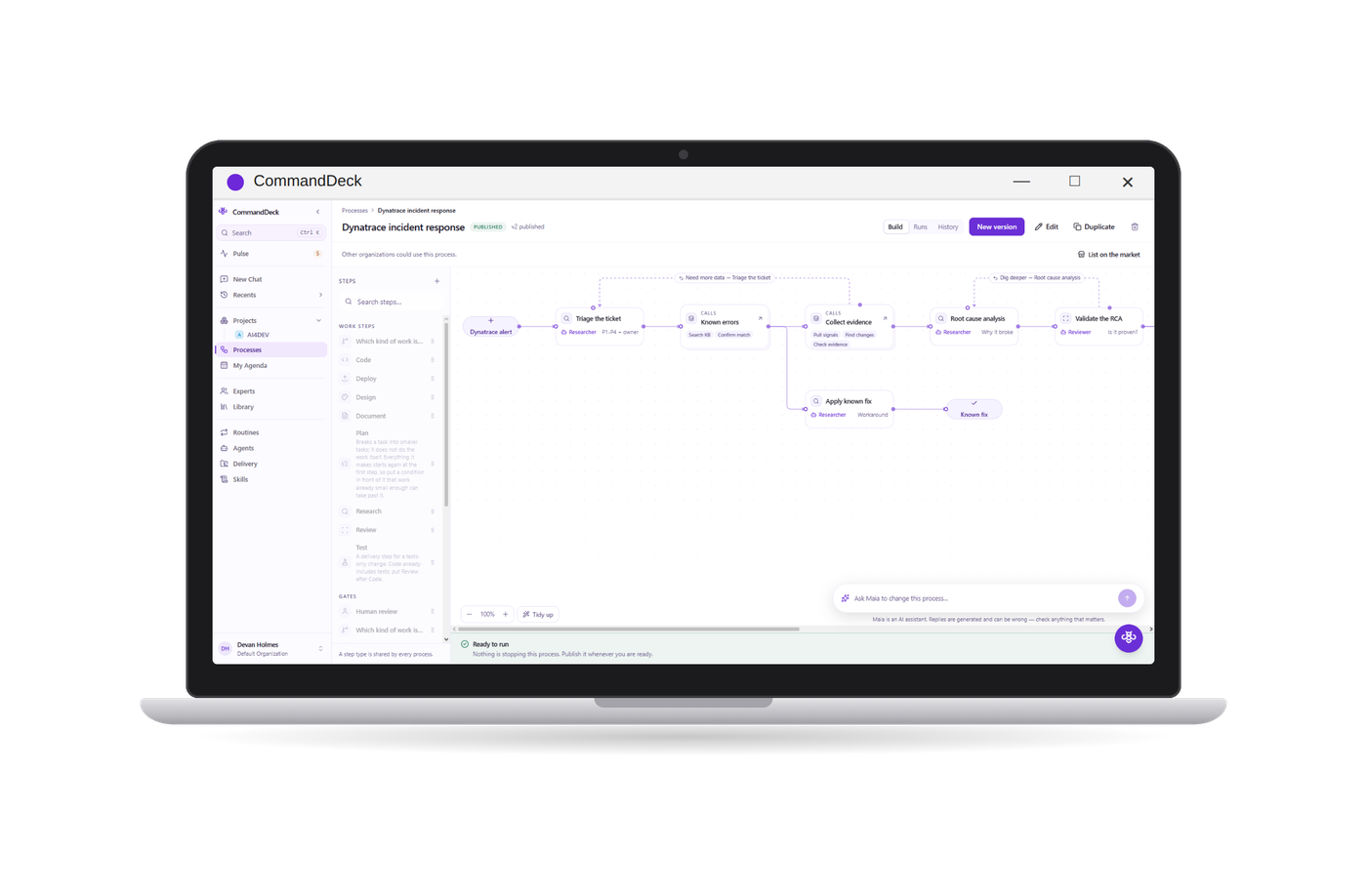
Each project in CommandDeck keeps its own memory: the decisions you made, the documents and designs, and what you agreed with the client. It fills up as your team, your partners and the AI agents do their work.
Nobody has to dig through old emails or explain the same thing twice, and you can always see who did what.
When someone new joins, they can just ask the project.
Quicker starts
Most of their questions are already answered in the project, so they don’t have to wait for someone to brief them.
It stays yours
What your team learns is kept with the project, not lost in someone’s inbox or personal chat history.
Less busywork
Repetitive tasks can run as processes, and someone on your team signs off where it’s needed.
Safe to use
Everyone uses one approved tool and you decide who sees what, so people stop quietly using their own AI tools.
You describe a process in everyday language, the way you’d explain it to a new colleague. CommandDeck turns that into a working process: AI agents handle the steps, and your people approve the ones that matter. You can then run it in three ways.
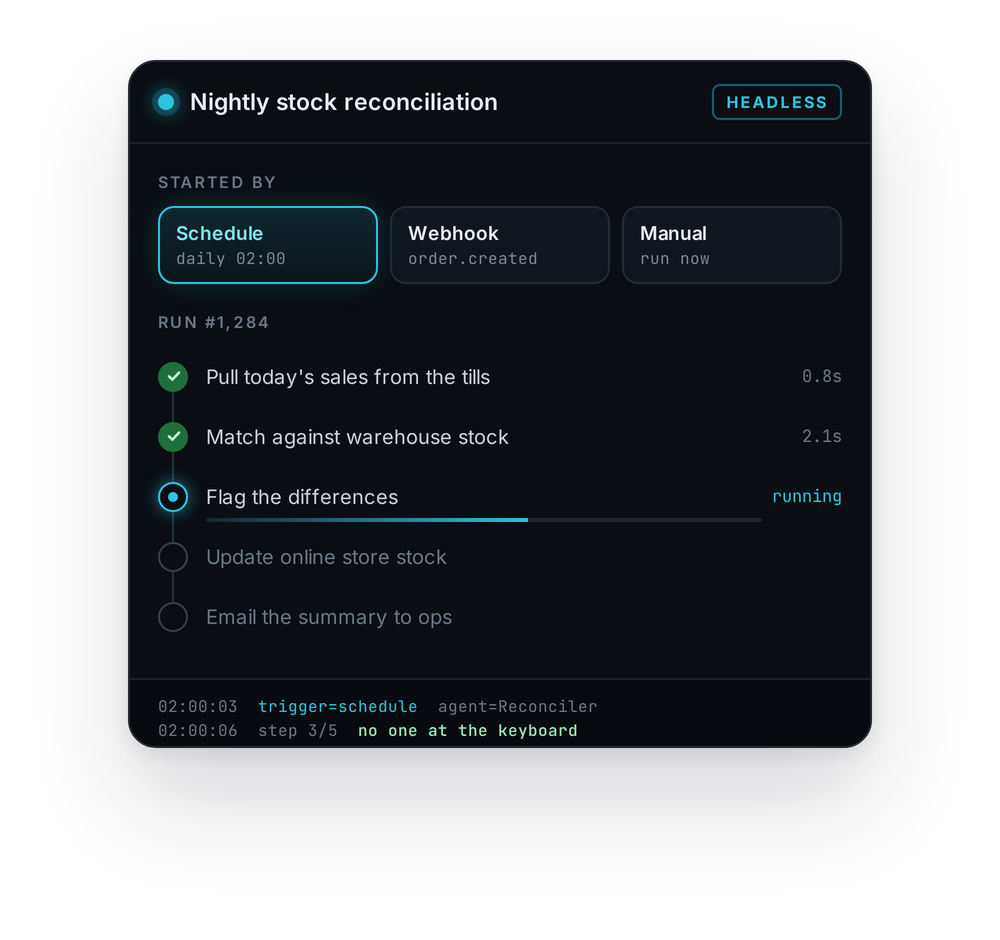
01 · HEADLESS
You can start it yourself, put it on a schedule, or let another system start it, for example when an alert comes in. It then works through every step without anyone having to watch it.
02 · IN CHAT
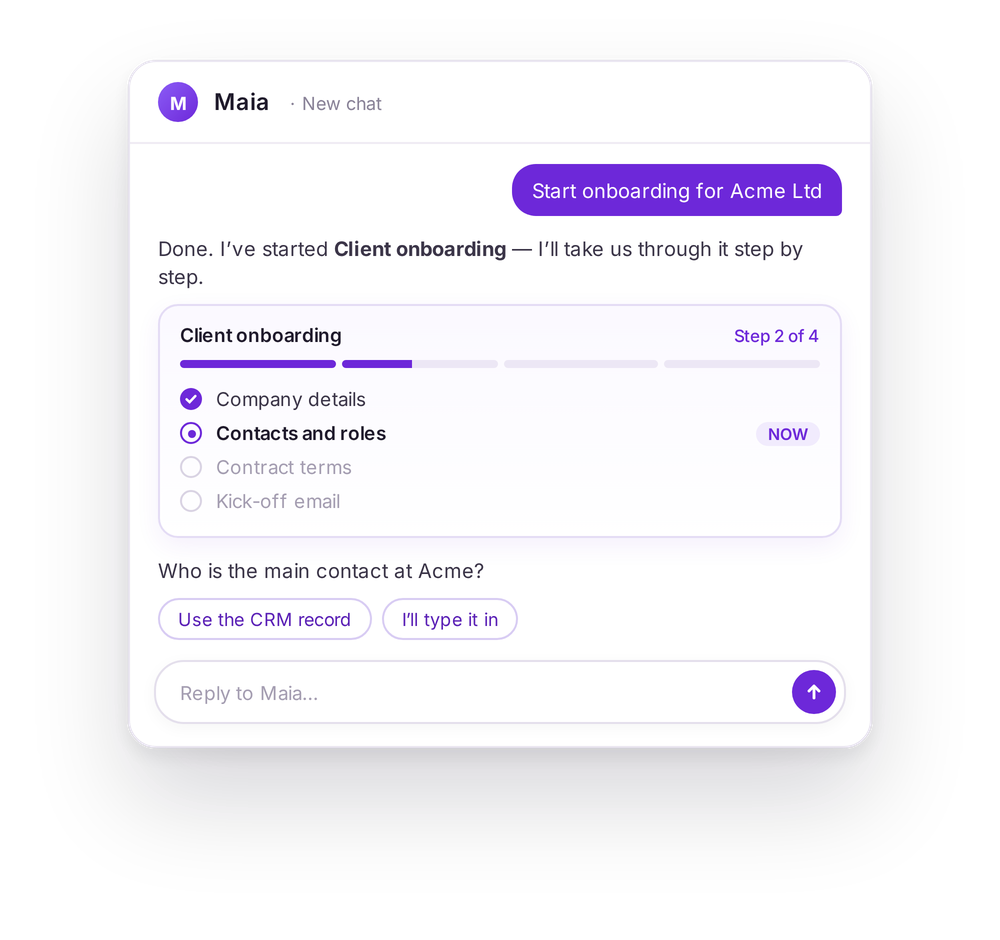
You start the process in a chat with Maia, the CommandDeck assistant. Maia then takes you through it one step at a time, so nothing gets missed.
03 · UI
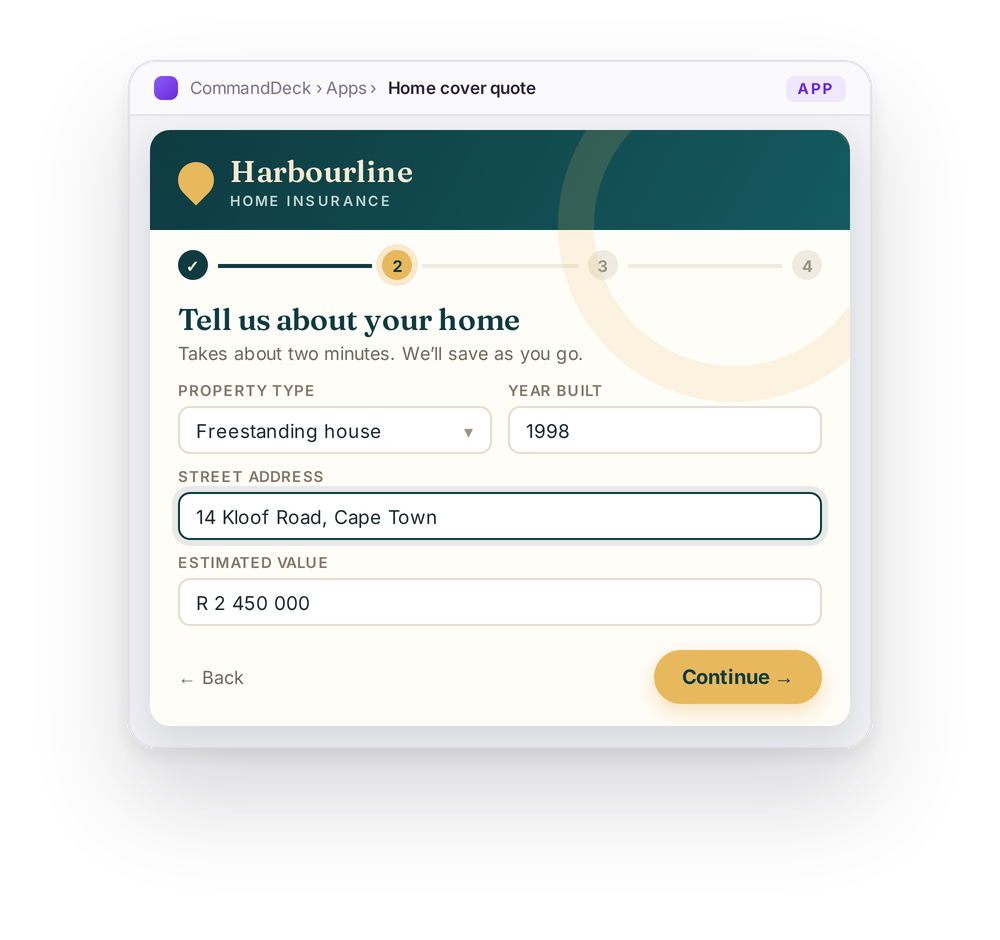
Here you design every screen yourself: how it looks, how it works and the order things happen in. It’s the right choice when the experience matters, for example when your own clients or customers use it.
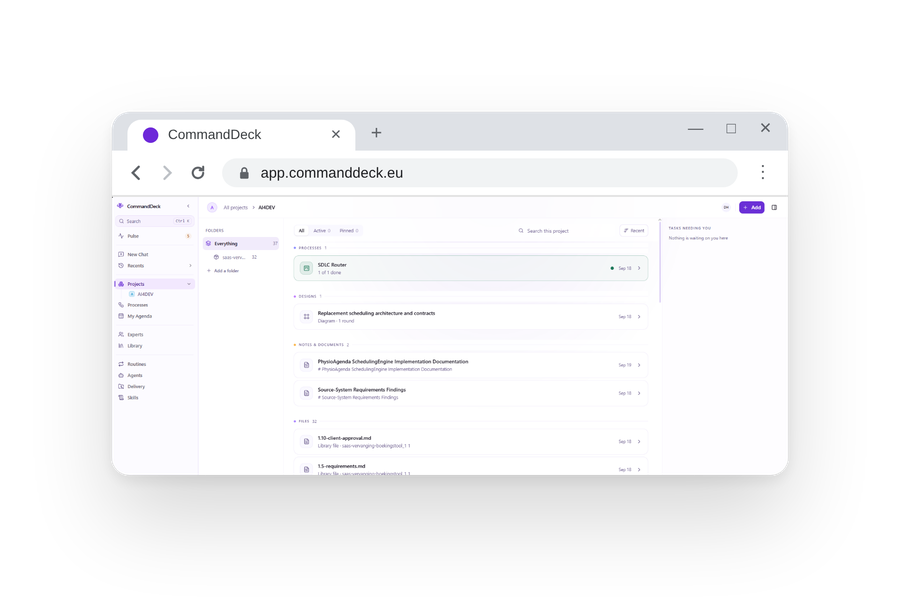
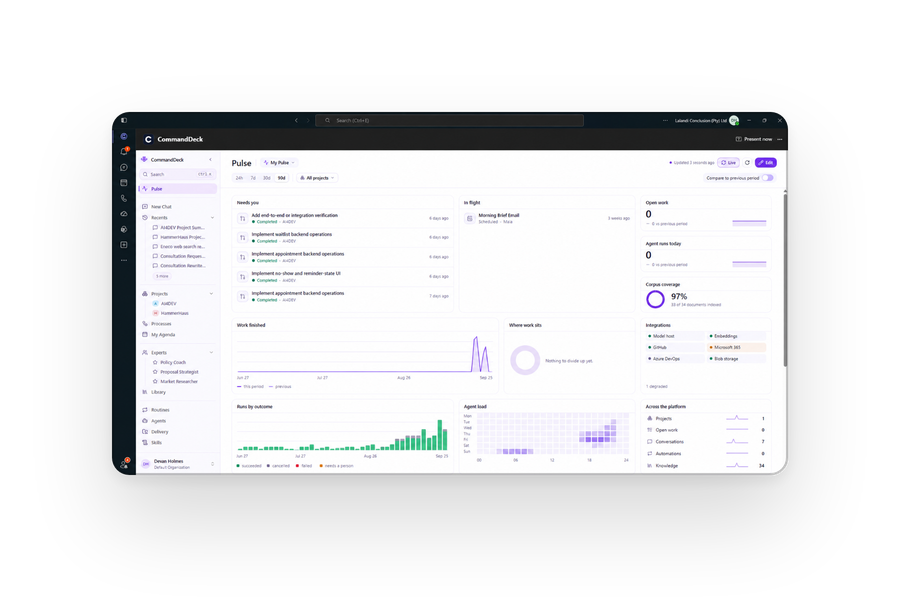
People can use CommandDeck in their browser, as an app on Windows or Mac, or inside Microsoft Teams. Whichever they choose, they see the same projects and the same information.



Some data shouldn’t leave your own servers. For that, you can install a small version of CommandDeck, called an Atom, on any server: in your data centre, at a client site, anywhere in the world. It does the work on the spot and only sends back the result.
 CommandDeck CloudAtom on your server
CommandDeck is the platform. Our people at Lalandi help you get the most out of it, working side by side with your own team.
We sit down with you to find the processes where AI will save the most time or make the biggest difference.
We work out each process with the people who actually do the work, including the points where someone needs to approve.
We set up the agents and processes, connect them to your systems and test everything with your team.
Once it’s running, we keep improving it and add new processes. Your team can take over as much of this as they like.
Lalandi is part of the Conclusion group, so if you need a specialist, we can bring one in.
Here are some of the processes we run with clients. In each one, AI agents do much of the groundwork and your own experts make the calls.
Turn an idea into a clickable prototype. Agents put together the first screens and flows from your brief, and your team refines them, so you can get feedback from real users early on.
Agents look into the options and write a first draft of the architecture, with the reasons behind each choice. Your architects then question it, change it and sign it off.
Agents write automated tests as the code is written, run them every time something changes, and tell you in plain words what broke and why.
Within a scope you’ve agreed to, agents run security tests on your systems and write up what they find. Our security specialists check every finding before it goes into the report.
When your monitoring raises an alert, agents gather the logs (on your own servers if needed), work out the most likely cause and suggest a fix. Your engineers decide what happens next.
Agents go through old code, explain what it actually does and help you move it to a modern platform bit by bit, with a review after each step.
Setting up a new client becomes a guided chat that covers company details, contacts, contract terms and the kick-off email, in the same order every time.
Your customers fill in a form or ask for a quote on a page with your branding. Behind it is a CommandDeck process: agents check the details and pass them on to your team.
AI agent stepA person decides
Tell us how your team works today. In one conversation we can usually find a good first process to hand over to AI, and show you what it would look like in CommandDeck.